

Best Practice Identity
What is a Best Practice Identity?
A Best Practice Identity, or Best Practice ID, is a user account that can be used to sign into Best Practice Software cloud products and services. A Best Practice ID:
- Uses a safe, secure and trusted authentication platform powered by Microsoft (Azure B2C)
- Provides enhanced security and multi-factor authentication options
- Provides a federated login for cloud products using Bp Premier practice credentials.
- Enables single sign-on capabilities (SSO) to seamlessly access different Best Practice Software online applications without the need to log in each time.
What can I access with my Best Practice ID?
With a Best Practice ID, you can access Best Practice online products such as Best Practice Mobile, the Bp Premier Online website for cloud product configuration, the Bp Customer Portal, and Bp Omni.
Bp Premier customers can view these products here Best Practice Online Services.
Sign up and Set up a Best Practice ID
Sign up for Best Practice ID
To create a Best Practice ID user account, you will need a unique email address.
For Bp Premier customers with Best Health Booking or Best Practice Mobile subscriptions, you will need to follow the self-service sign up steps listed below. Alternatively, the Best Practice team can send you an invitation email containing a link.
When you redeem an invitation you will be prompted to:
- Verify your email.
- Read and accept the Terms of Use for Cloud Products.
- Set up multi-factor authentication to keep your account secure.
Set up a Best Practice ID for Bp Premier online products
The following self-service workflow allows you to set up access to Premier Online products such as Best Practice Mobile and Best Health Booking configuration.
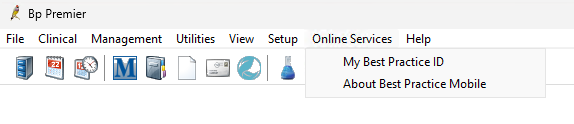
- From within Bp Premier, open the Online Services menu from the top toolbar and select My Best Practice ID.
- When prompted, enter your Bp Premier password and click Next.
- The system will check that your current Bp Premier password meets the minimum complexity requirements for online access. If your password does not meet the requirements, you will be prompted to change it. This will also update your password that you use to access Bp Premier.
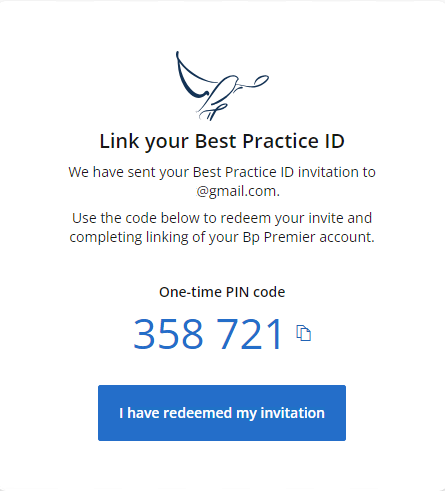
- Enter the email address that you want to use to log in to your Best Practice ID. An invitation link will be sent to your email and you will be shown a one-time invitation code. Copy the code by clicking on the copy icon, or write it down.
- Open the email and click on the invite link.
- Enter the one-time verification code that you copied from step 4.
- Re-enter your Bp Premier password.
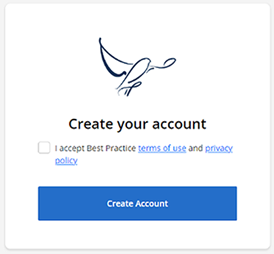
- Read and accept the cloud terms of use and privacy policy, and click Create Account.
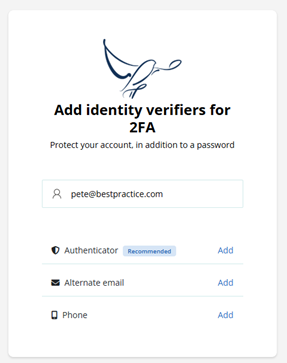
- Add a primary and backup identity verification method to keep you and your data safe online. You will be asked to verify your identity with one of these when you log in.
You're all set. Head to the online product you want to access and log in.
Link my Best Practice ID to other Bp Premier practices or applications
To link your Best Practice ID account to more than one Best Practice Software cloud application or Bp Premier practice, use the same unique email address for your username. For example, if you work at two practices, login to Bp Premier at each practice and repeat the set up workflow above.
We’re Here to Help:
Our dedicated Support team is here to help and support whenever you need it. You can easily reach out to us via email or phone. For the quickest and most efficient response, we kindly recommend sending your inquiry via email, as it allows us to address the majority of requests promptly.
Email:
Phone:
- (AUS): 1300 40 1111, Option 4
- (NZ): 0800 40 1111, Option 4.
Security Settings
Best Practice Software has several security features designed to keep your account and practice data safe. These features include secure passwords, multi-factor authentication, inactivity timeouts, and geographic and IP based login restrictions.
My Best Practice ID user security settings
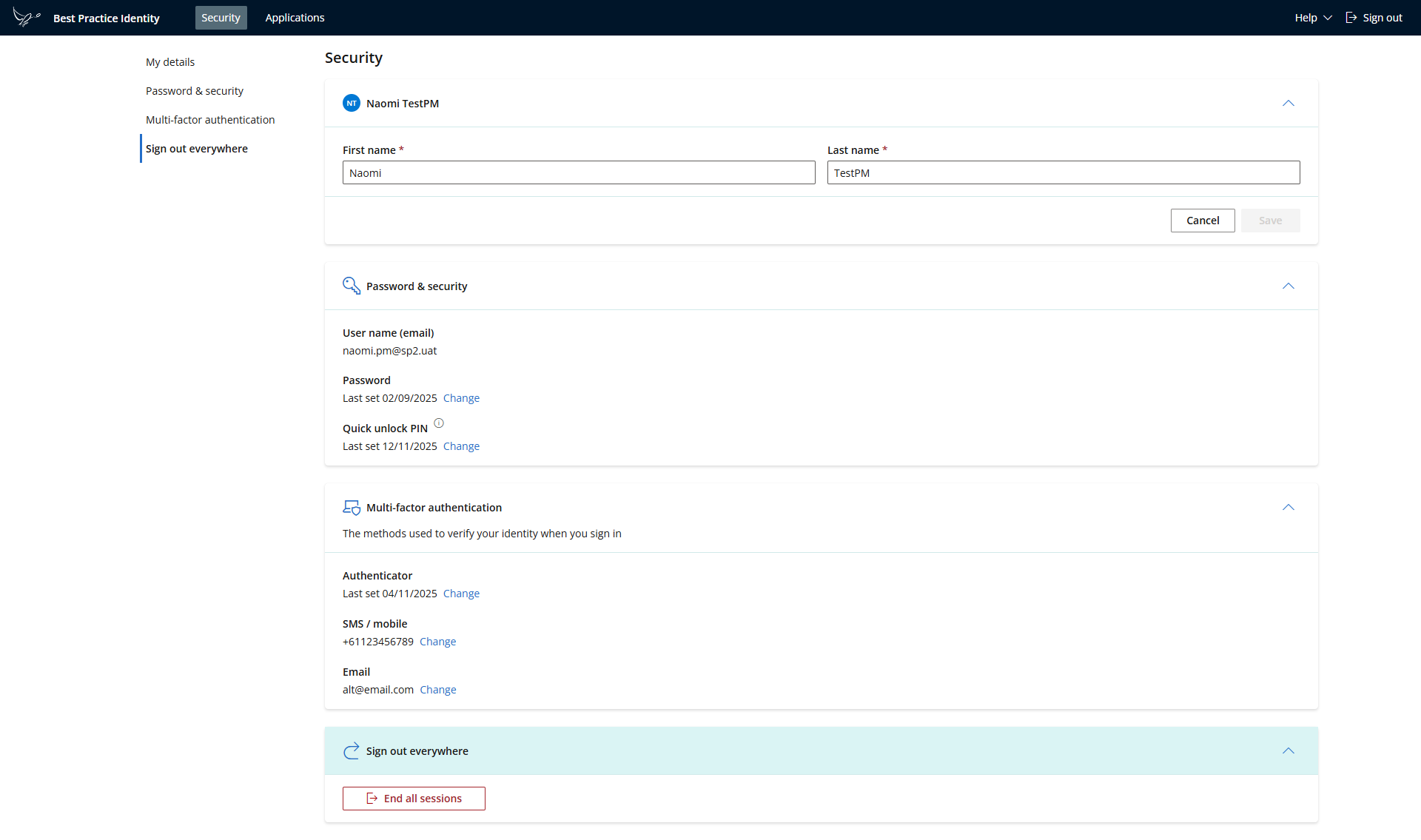
To manage your personal security settings and applications linked to your account, go to https://bestpractice.online/user.
You can also access your account by selecting “My Best Practice ID” from your profile icon in the Bp Premier Online website or The Aviary Customer portal.
Change Best Practice ID password
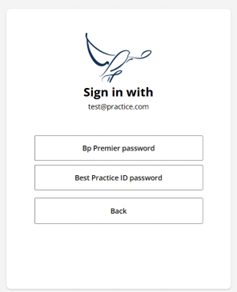
Best Practice ID supports federated login to your practice online products using your Bp Premier password. Your practice administrator can reset your password in Bp Premier if required.
If you have access to The Aviary Customer portal, you will also be able to create a cloud password (‘Best Practice ID password’). You can use this password to log in to all your linked applications.
To update your cloud password, you must choose this option when you sign in to your user account and then click the Change link to update your password.
Password complexity requirements
To meet security requirements for web-based access, your password must be between 8 and 20 characters, contain no spaces, have at least 1 numerical digit, and contain at least 1 special character (!@#$%^&*).
Your practice administrator can help staff meet this requirement by enabling strong password settings in Bp Premier.
Inactivity Timeout and Quick PIN
When using Best Practice Mobile or other cloud applications, an inactivity timeout will occur if there has been no activity for 15 minutes. This extra layer of security has been provided to support your compliance with health data security standards.
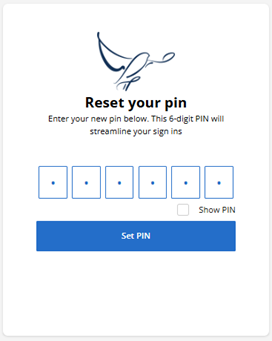
You can resume the session with your password or Quick unlock PIN.
You may be prompted to create a Quick unlock PIN during the sign up flow. You can also change your Quick PIN in the Best Practice ID security settings.
Multi factor identity verification methods
2-step verification provides an additional layer of protection to your account when signing in.
Best Practice Software requires you to have a minimum of two identity verification methods so that you can recover your account if you lose access to one.
Accepted verification methods include:
- Authenticator apps
- Alternative email
When you login, the system will automatically prompt for the highest priority method set up on your account. You can select to use your back up method at any time.
To update your identity verification methods, log in to your Best Practice ID user account. For security reasons, you will be required to verify your identity with an existing method first.
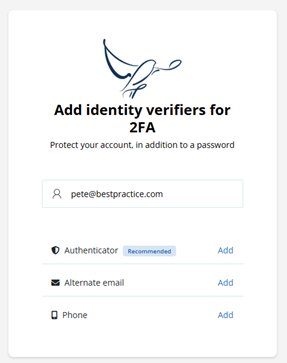
NOTE The alternative email address cannot be the same as your Best Practice ID username.
Lost or Stolen Devices - Signing out of all Sessions
A session is defined as a period of time during which you are signed into a Best Practice Software online application from a browser or device. A session is resumed when you re-enter your password or Quick PIN after an inactivity timeout.
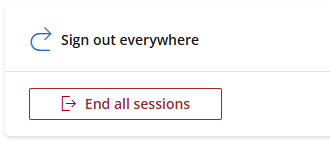
If you lose your device, you can sign out everywhere by selecting End all sessions in the Security settings.
Applications linked to my Best Practice Identity account
You can view which applications are associated with your Best Practice ID from the user home. Access will be automatically removed from your profile when you leave a practice.
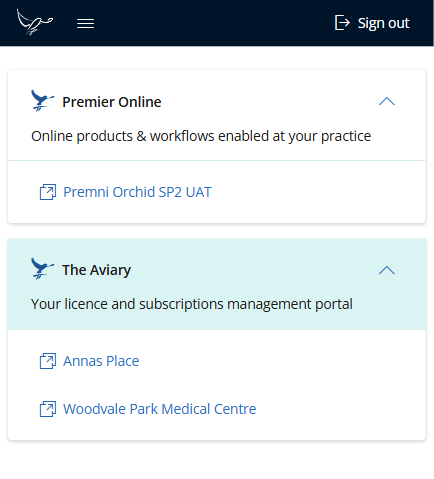
NOTE Speak with your practice administrator for details of which cloud products and services are enabled at your practice.
Frequently Asked Questions
This section contains frequently asked questions about the setup and access of a Best Practice ID.
How often do I need to complete 2-step verification for login?
You will be prompted to verify your identity when you start a new session. A new session will be created after you have logged out, start a new browser session or log in with a new device. A session can last up to 24 hours.
NOTE Best Practice Mobile users that log in with biometrics will not be prompted with multifactor authentication for 14 days.
Which Authenticator apps can I use with my Best Practice ID?
Best Practice ID supports most authenticator apps including Microsoft Authenticator, Google Authenticator, Authy, and Last Pass.
How do I set up an Authenticator App?
When you create your Best Practice ID account or add an Authenticator from your user account settings, the set up flow will guide you through the steps below:
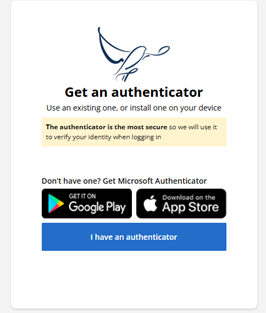
- Download an Authenticator app on your mobile phone.
- Open the Authenticator app and click add 'other account'.
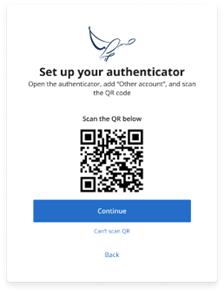
- Scan the QR code and the "Best Practice ID" account will be automatically added to your Authenticator.
- Enter the 6 digit code from the Authenticator app.
TIP If you experience issues with scanning the QR code, you can click 'Can't scan QR' and type in the account name and secret key.
What if I lose access to my primary method to verify my identity?
You can choose to use your backup verification method when logging in to Best Practice cloud applications.
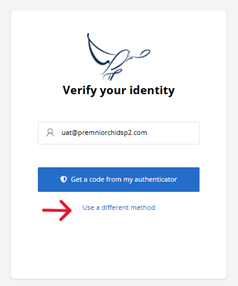
To update your MFA method, log in to your Best Practice ID user account and go to the Multi-factor authentication (MFA) card from Security > Sessions.
Can I use SMS as my 2 step verification method?
No, SMS is not supported. For secure identity verification, please use either the Microsoft Authenticator application or an alternative email address instead.
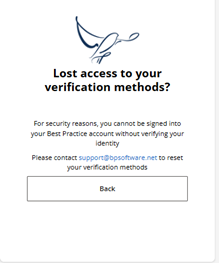
What do I do if I've lost access to all of my identity verification methods and can't login?
Contact Best Practice Support if you are unable to use your MFA identity verification methods or access your Best Practice ID user account.
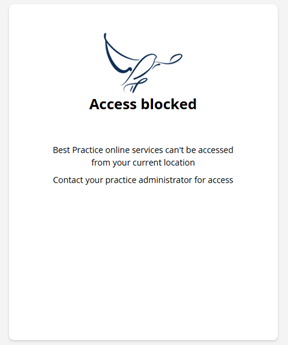
What do I do if I am unable to access Best Practice online applications from my location?
Best Practice Software have implemented geo-based restrictions, along with other security measure such as multi-factor verification and data encryption, to protect your data online.
The geolocation-based access verifies users of Best Practice software are signing in from within Australia or New Zealand to help minimise risk of internet traffic from outside of your usual practice operating area. This setting is recommended for most practices using Best Practice Mobile or Best Health Booking.
Practice administrators will be able to manage practice staff access via the Bp Premier Online configuration portal or by contacting Best Practice support.
Can I delete my Best Practice ID account?
Your online access will automatically be removed from your Best Practice ID profile if you leave the practice and your Bp Premier user record is inactivated.
To request to delete your user account completely, you can contact Best Practice Support.
Knowledge Base
Our Partner Knowledge Base (KB) is a central hub designed to support our integrated partners with everything you need to successfully work with Best Practice. It includes a collection of useful resources such as technical documentation, API guides, and integration categories, all in one easily accessible place.
Partners can also find links to key tools, product updates, release notes, and other relevant information to help you stay informed and make the most of our partnership. The Knowledge Base ensures you have the latest materials, guidance, and insights to streamline development, enhance collaboration, and deliver the best possible experience for our mutual customers. We highly recommend making yourself familiar with what is in the Knowledge Base as a lot of questions can be quickly answered here.
Frequently asked questions and Commonly used articles:
Register a new product/Edit your data access
Submitting a review request for any new product or feature is an essential step in maintaining compliance with your Partner Agreement. The data access and integration permissions outlined in your agreement apply only to the specific use cases and features defined within it.
When new functionality or data requirements are introduced, our team must review them to ensure they align with the terms of the existing agreement and continue to meet our security, privacy, and compliance standards. This process helps protect both parties, ensures responsible data handling, and maintains the integrity of our shared customer experience.
For more information, please see “Remain Compliant” in the sections above.
To request a product/feature review, please complete the following form:
Update your Details
Please keep your company and contact details up to date by completing the following form:
Provide Feedback
If you'd like to provide feedback to the Bp Partnership team, please email us here at Bp Partners. The team are always open and happy to receive all feedback.:
   |
|
|
|
|
|
This material is classified as commercial-in-confidence. Unauthorised distribution of this information may constitute a breach of our Code of Conduct, and may infringe our intellectual property rights. This information is collected and managed in accordance with our Privacy Policy, available on our website. © Copyright 2026 |
|

 AU
AU 