
This article explains how a practice can purchase additional Bp Comms packs through an online process, without needing to contact Best Practice Software. The new process is intended as a fast, self-service option for topping up SMS credits when existing balances are running low.
Visit the Bp Comms Top Up page on the Best Practice Software website to complete the Bp Comms Order Form.
In this article:
Overview
The Bp Comms Top Up page is an online purchase form for securely obtaining additional Bp Comms packs. It supports practices that need to continue sending communications without needing to contact Best Practice Software or wait for manual account processing to occur. The intention is to provide practices with a convenient self-service option to top-up their SMS credits at any time.
IMPORTANT The Bp Comms Top-up page is only visible and accessible to Australian users of Bp Comms. Only existing Bp Premier Comms clients can purchase Top-up credits from this page. If you are not an existing user of Bp Comms, contact the Account Management team on 1300 40 1111 for assistance.
How to complete the online form?
|
Form Details |
Completion instructions |
|---|---|
|
Site ID |
The Site ID is used to associate your practice with the correct Client site in the Bp Customer Record Management (CRM) platform. Your Site ID can be found in Bp Premier - Help > About |
|
|
The email address you enter will receive a conformation email stating the submission was successful, or advising there was an issue. |
|
Bp SMS Username |
The Bp SMS Username is used to associate your practice with the correct client records in the Bp CRM and with Bp's 3rd party SMS provider. To locate your Bp SMS Username, open Bp Premier and navigate to Setup > Configuration > Configure SMS > SMS UserName. |
NOTE The web form does not process payments. A separate invoice will be sent to the main practice email address associated with your site in the Bp CRM.
IMPORTANT The email containing the invoice and 'Pay Now' link will be sent from sales@bpsoftware.net. If your practice receives a request for payment from another email address, treat it with caution and do not click on any links before verifying its source. Email sales@bpsoftware.net or call our Account Management team on 1300 40 1111 for assistance.
What are my Comms Pack options?
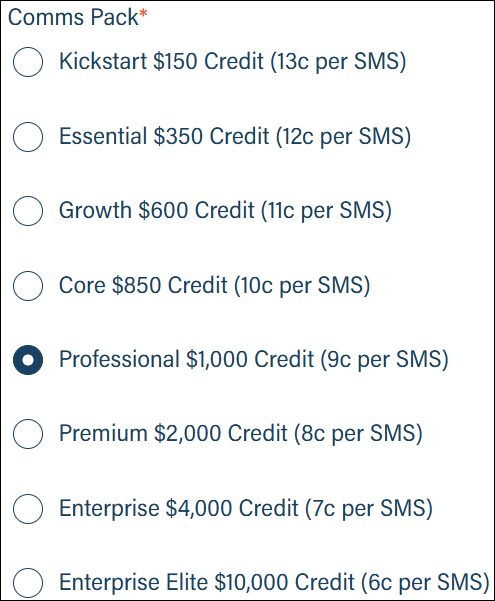
The web form allows existing Bp Comms users to purchase top-up credits from the options provided. To select a Comms Pack, click the radio button on the left-hand side.
Consent Options
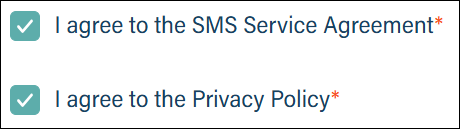
Before your purchase can be submitted, you must agree to the SMS Service Agreement and the Privacy Policy. Select each of the check-boxes to continue.
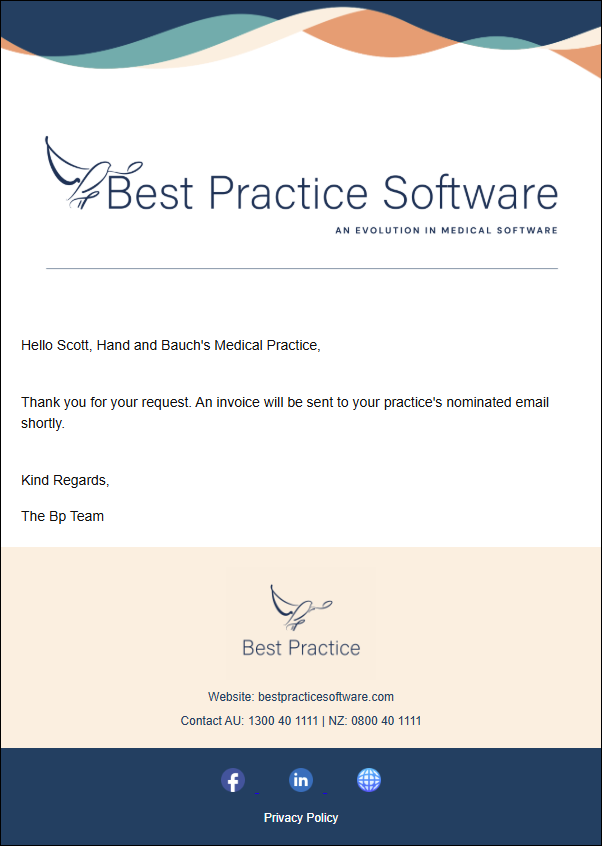
After the request to purchase has been submitted, an email indicating the request was successfully processed will be sent to the email address supplied when completing the form.
NOTE The email indicating a successful purchase request is sent from a No Reply email address.If you require assistance, contact our Account Management team on 1300 40 1111 for assistance.
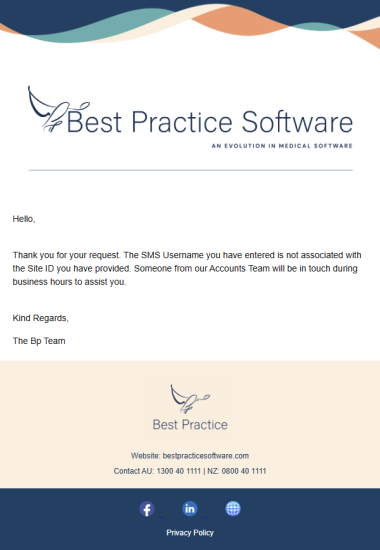
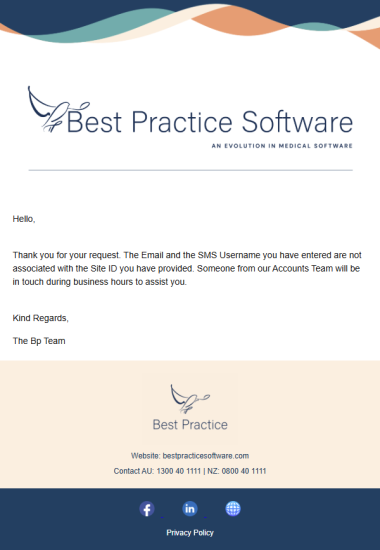
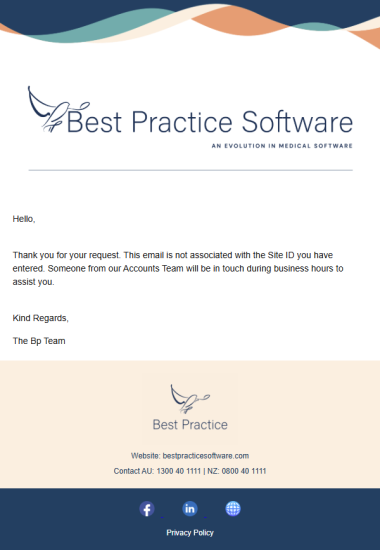
If any details entered into the Bp Comms Top-up form fail to match the practice details held in the Bp CRM, one of the following emails will be sent to the email address listed in the Top-up request form. For assistance correcting these errors, email sales@bpsoftware.net or call our Account Management team on 1300 40 1111 for assistance.
Pay Now Invoice
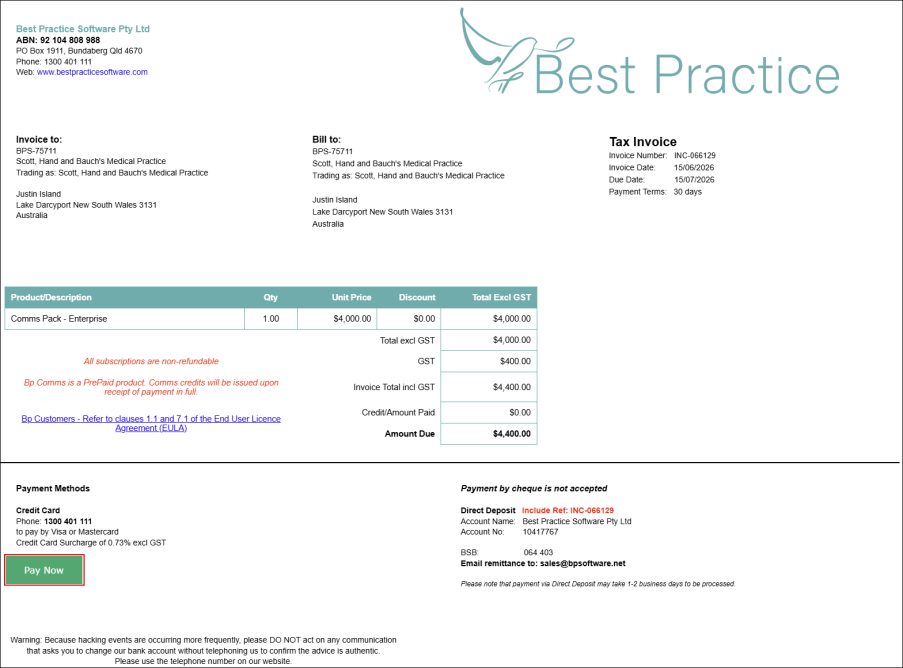
Shortly after receiving the initial successful request email, the Bp CRM will generate an invoice for the selected Top-up Comms Pack. The invoice is emailed to the primary email address listed in the Bp CRM and will contain a 'Pay Now' link.
How do I pay my invoice?
The following steps can be used to pay the invoice:
- Navigate to the email containing the invoice.
- Look for the bright green 'Pay Now' button.
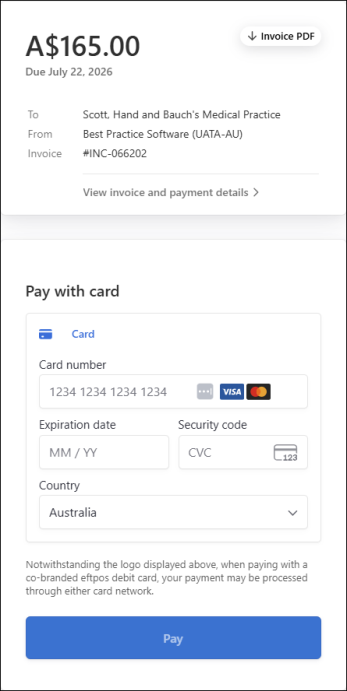
- Click the 'Pay Now' button to open a Stripe credit-card screen.
- Complete all the required fields and click the 'Pay' button.
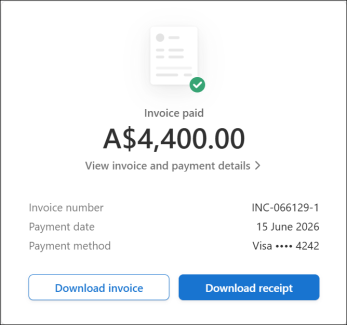
- After a successful payment, an 'Invoice Paid' screen will appear. From this screen you can download a copy of the invoice and a copy of the payment receipt for your records.
- The SMS credits associated with the purchased Top-up Comms Pack will now be available for use in Bp Premier.
IMPORTANT If you encounter any issues finalising the payment using the Stripe payment portal, call our Account Management team on 1300 40 1111 for assistance.
NOTE Using the 'Pay Now' link is the most convenient method to finalise the payment. Other payment options such as Direct Deposit or calling 1300 40 1111 to pay via Credit Card are always available, however these methods may take longer to process and have the SMS credits available for use.
Last updated: 06 July 2026.



 AU
AU 