
The purpose of this report is to display any outstanding debts and or display any Credit on Hold that has not been applied against any debt. The reports may produce a large amount of information, depending on the date range and filters used.
Setup
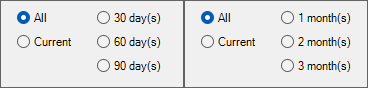
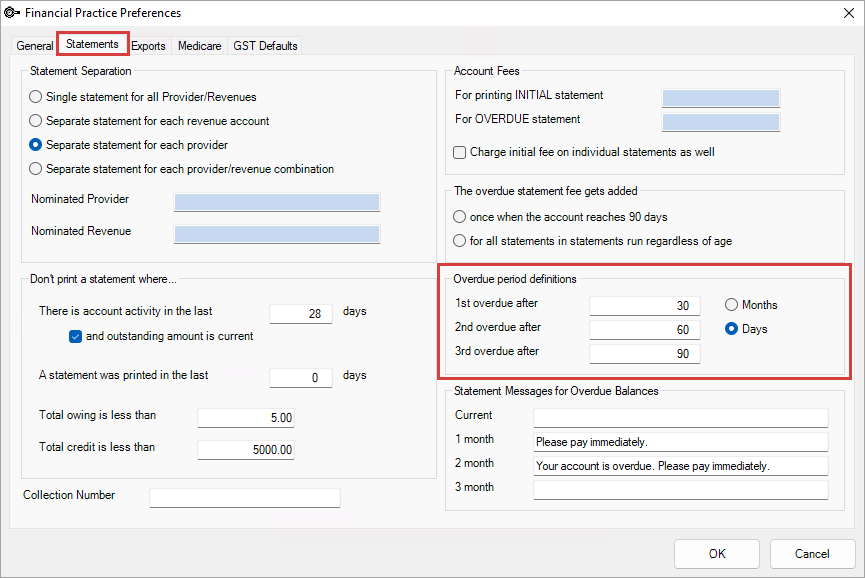
Depending on your clinic preference, the Aged Debtors can be viewed using either days or months.
To change this setting, go to Setup > Facility Preferences > Financial Preferences > Statements > Overdue period definitions.
Reports
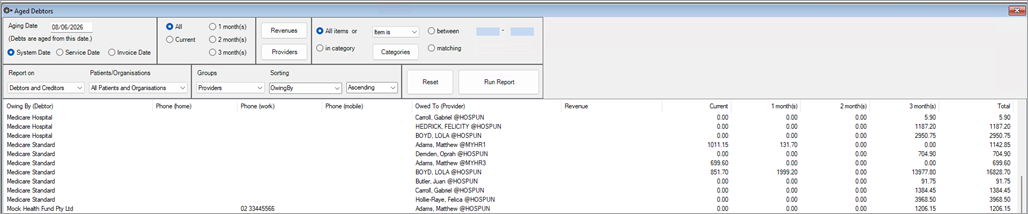
When the Aged debtors screen is opened, the Run Report button is red, and no amounts are displayed. The user must click Run Report, then depending on the filters, the request will be executed.
Default report when clicking Run Report
The data is displayed by Organisation/Patient, Provider @Location, and/or debt/Credit amount. This allows the user to see Patient + Organisation amounts and display the grand total. This report does not show individual amounts that make up the total owing for each patient or organisation. Any variation of this report (select different filters) with the Groups = Providers filter should return quick results.
Debtors Report
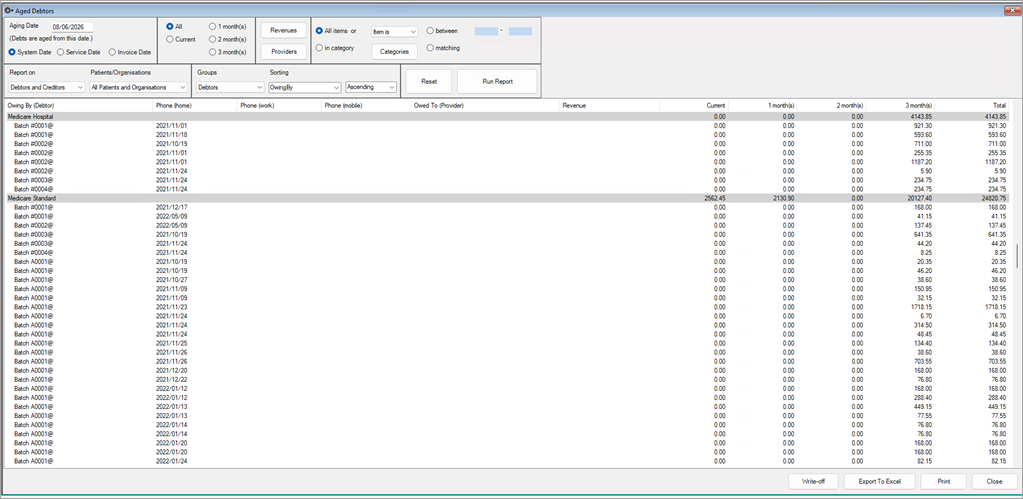
To select this report, the user must click on the option Groups, select Debtors and then click Run Report.
The data displayed is now an individual account of transactions that make up the debt owed by either a patient or an organisation.
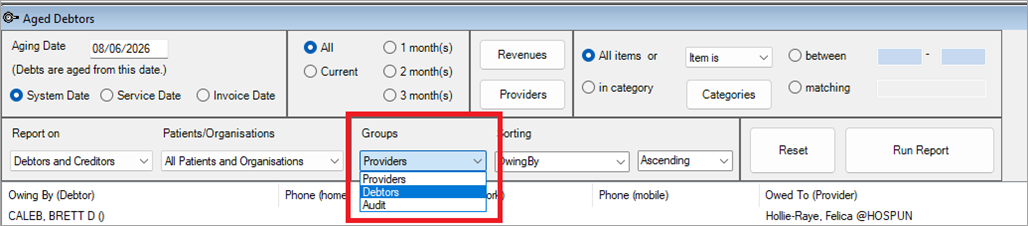
This report will take longer to run than any other report due to the amount of information it returns. In the example, each organisation's debt, whether it be a redirection or a batch, will be displayed not just as a total.
Slow Reports
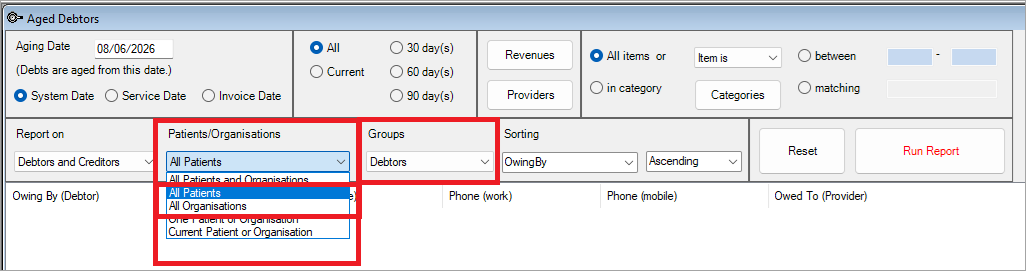
To reduce the time taken to run the debtors report(s), do so outside business hours to achieve faster results and place less strain on the server. If that can't be done, then break up the report and run Organisations Only, then Patients Only.
Related topics
Last modified: 11 June 2026



 AU
AU  support@bpsoftware.net